Your phone is no longer a phone. It is an authentication device, a corporate mailbox, a payments terminal and a location tracker — all in one pocket.
Attackers know this. Mobile devices have become one of the most attractive entry points into both personal lives and corporate networks — and most organizations still secure them less than laptops.
Key takeaways
- Mobile phishing works better than desktop phishing — small screens hide the warning signs.
- Five simple layers stop most mobile attacks: updates, screen locks, app hygiene, safe networks, remote wipe.
- If employees read company email on personal phones, mobile is already part of your attack surface.
Why mobile is a different battlefield
Traditional endpoint security assumes managed laptops on known networks. Mobile breaks every assumption: devices travel through untrusted Wi-Fi, mix personal and business apps, and receive a constant stream of links via SMS, Viber, WhatsApp and social media.
Phishing on mobile is measurably more effective. Small screens hide full URLs, sender addresses and certificate warnings — the details that would raise suspicion on a desktop.
The threats that actually matter
- Smishing: malicious links by SMS or messaging apps, impersonating couriers, banks or government services.
- Over-permissioned apps: a flashlight app does not need your contacts — but it may quietly abuse them.
- Outdated systems: unpatched devices carry publicly documented flaws that commodity malware exploits automatically.
- Untrusted networks: open Wi-Fi enables interception and rogue portals.
- Loss or theft: a weakly locked device is a complete identity takeover kit.
Build the defense in layers
No single control protects a phone. Effective mobile security stacks simple layers — each cheap alone, powerful in combination.
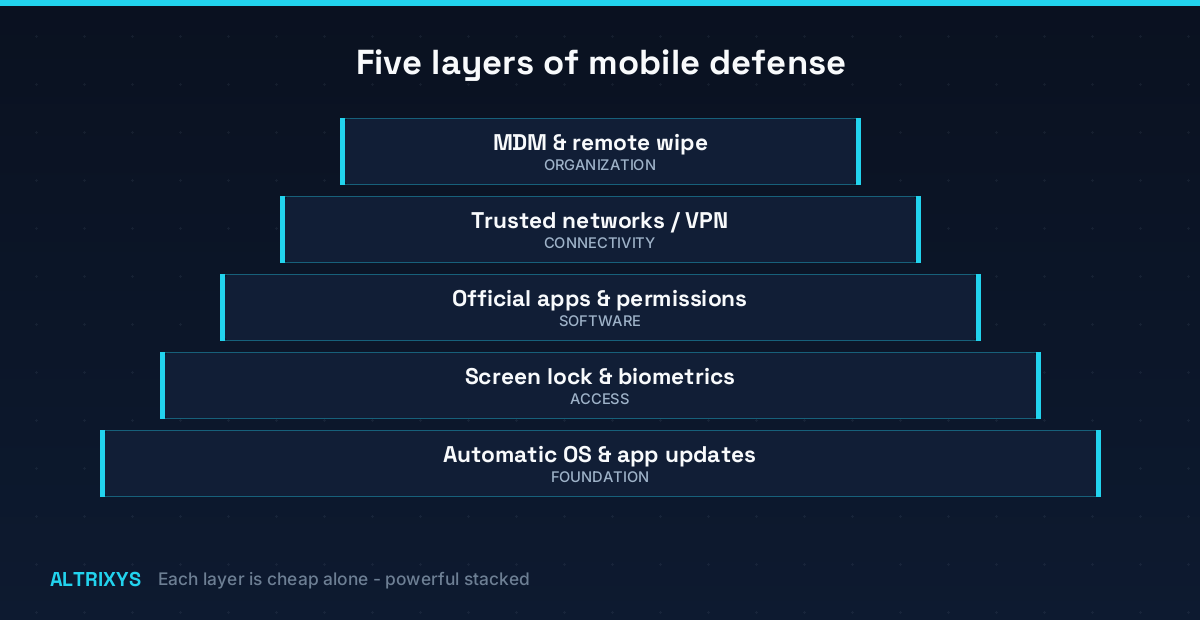
- Update automatically. Most mobile compromises exploit already-patched vulnerabilities.
- Lock properly: biometrics + short auto-lock timers on encrypted storage.
- Official stores only, and review app permissions.
- Prefer app-based MFA over SMS codes.
- Enable remote wipe now — before the device goes missing.
For organizations: manage what touches your data
Mobile Device Management (or lighter MAM) enforces encryption, screen locks and OS versions, separates business data into managed profiles, and wipes corporate data from a lost phone without touching personal photos.
Pair the technology with a clear policy — which apps may handle company data, how incidents get reported — and short, practical training.
Attackers already treat your phones as infrastructure. Your security program should too.
Treat mobile devices as first-class endpoints: inventory them, patch them, monitor them, and include them in penetration tests and incident response plans.
Related service: Altrixys offers Microsoft 365 security for organizations that want this handled by specialists.
Altrixys provides authorized penetration testing, security hardening and compliance services from Athens, Greece. Want to know how your organization would hold up against a real attack? Request a free assessment.